Get Marketing Insights First
Subscribe to receive actionable strategies, growth tips, and industry insights delivered straight to your inbox.
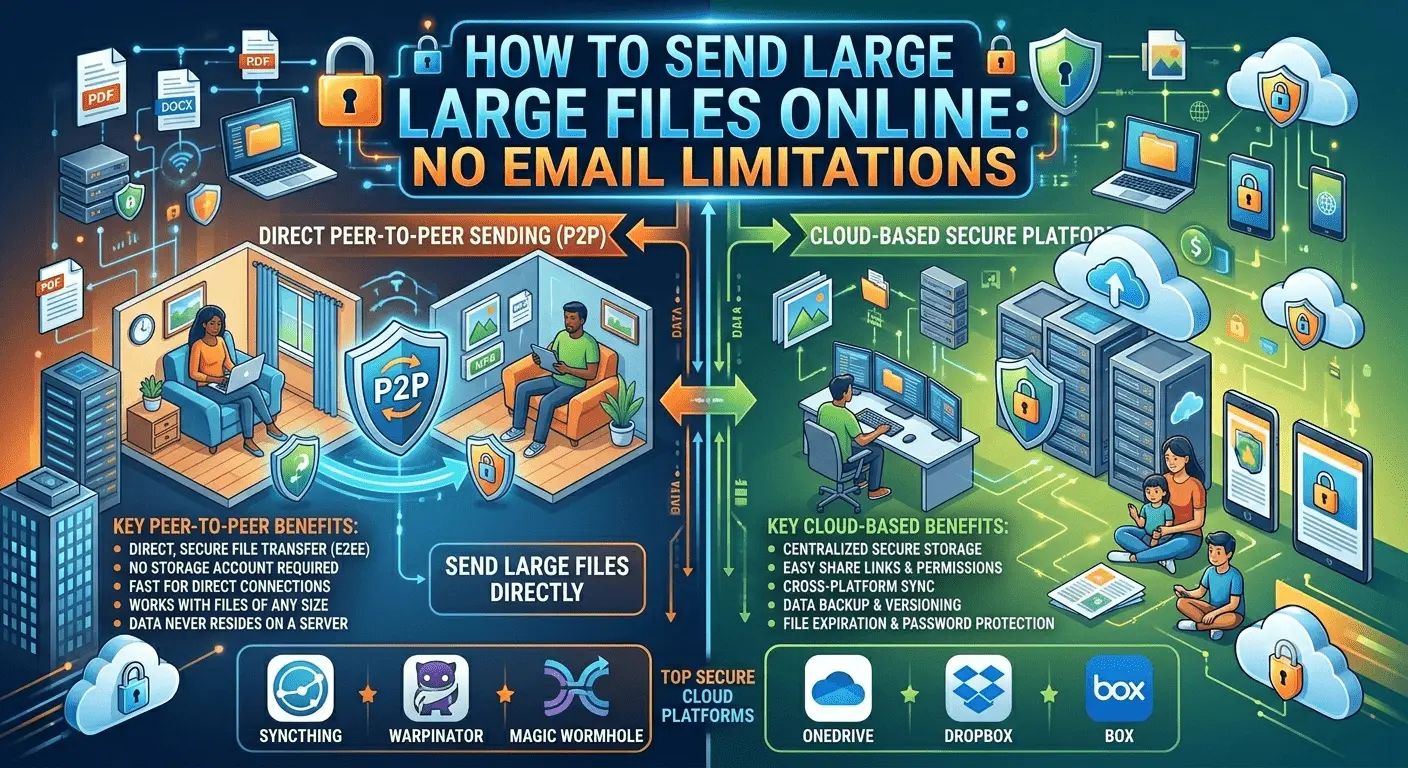
Email remains one of the most widely used communication tools in the world, but it was never designed to handle extremely large files. Most email providers impose attachment limits ranging from 20MB to 25MB, making it difficult to send high-resolution photos, videos, design projects, software packages, presentations, and other large documents.
Fortunately, modern file-sharing platforms and cloud storage services make it easy to transfer large files securely, quickly, and efficiently without worrying about email attachment restrictions.
Email systems were designed primarily for text-based communication. Large attachments increase server load, consume bandwidth, and create storage challenges for both senders and recipients.
As file sizes continue to grow, cloud-based transfer solutions have become the preferred method for sharing large files online.
These limitations can create unnecessary delays, especially for businesses and professionals who regularly share large digital assets.
Cloud storage and file-sharing platforms provide one of the easiest ways to transfer large files. Instead of attaching files directly to an email, users upload files to a cloud platform and share a secure download link.
This approach eliminates attachment size restrictions while improving accessibility and collaboration.
Cloud-based sharing provides a more reliable and scalable solution for modern file transfer needs.
The ideal transfer method depends on file size, security requirements, recipient needs, and project deadlines.
Before transferring large files, consider compressing folders, removing unnecessary data, and optimizing media formats when appropriate. Smaller file sizes can improve transfer speed and reduce bandwidth consumption.
Compression tools are especially useful when sending multiple files at once.
Security should always be a priority when sharing files online. Look for platforms that offer encrypted transfers, secure storage, password-protected links, access expiration settings, and activity monitoring.
These features help protect sensitive information while maintaining convenient access for authorized recipients.
Organizations increasingly rely on cloud-based file transfer systems to support remote teams, client collaboration, and digital workflows. Large design files, marketing assets, engineering documents, and multimedia projects can be shared efficiently without overwhelming email systems.
Improved file accessibility also helps teams collaborate more effectively across multiple locations.
The Filemail Guide provides practical recommendations for transferring large files efficiently, including strategies for secure sharing, cloud-based delivery, and optimizing transfer performance. Businesses and individuals can benefit from adopting modern file transfer solutions that eliminate common email-related limitations.
Using a dedicated platform to send large files online can dramatically improve productivity by reducing failed transfers, simplifying collaboration, and increasing accessibility.
Organizations seeking more efficient workflows often prioritize fast file transfer solutions that support large datasets, media assets, and business-critical documents.
Modern cloud platforms also make it easier to upload large documents while maintaining security, reliability, and performance.
As internet speeds continue to improve and digital content grows in size, file-sharing technologies will continue evolving. Future innovations will likely focus on faster uploads, stronger encryption, smarter collaboration tools, and improved user experiences.
Businesses and individuals who adopt modern file-sharing solutions today will be better prepared for tomorrow’s increasingly digital workflows.
Email attachment limits no longer need to be a barrier when sharing large files. By using cloud-based file transfer services, implementing secure sharing practices, and optimizing workflows, users can transfer files of virtually any size quickly and efficiently.
The right file-sharing platform can improve collaboration, increase productivity, and provide a more secure way to manage digital assets in both personal and professional environments.